Want to take a break from the Honkai Star Rail adventure?
If you want to delete your Honkai Star Rail Account, here is how to do it.
In this article, we have provided detailed steps to show the Honkai Star Rail account deletion process.
Also read: Fix: The Account Or Password Error In Honkai Star Rail
How Can I Delete My Honkai Star Rail Account?
Users no longer interested in being a part of Honkai Star Rail follow the methods provided to delete the Honkai Star Rail account.
But the exact steps and options can vary depending upon the specific version of Honkai Star Rail and the platform you are playing on.
1) From The Settings Menu
If you want to delete your Honkai Star Rail account permanently, then move forward by following these steps:
- First, launch the game and press the “Escape” keys to open the menu.
- Click on the “Settings” icon and select the fourth tab.
- The following action will open the “Account Settings.”
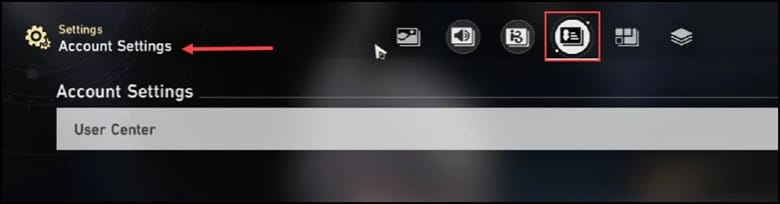
- Now, click on the User Center and select “Requesting Account Deletion” in the “Delete Account” section.
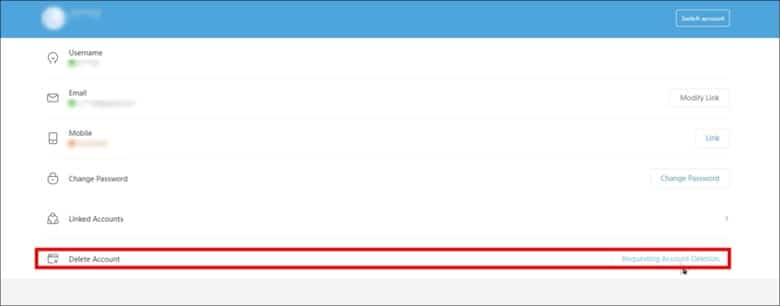
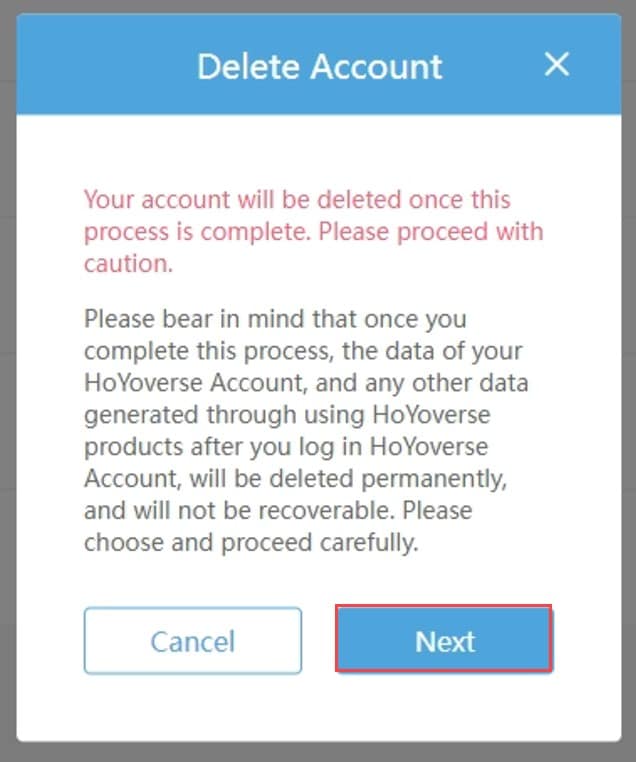
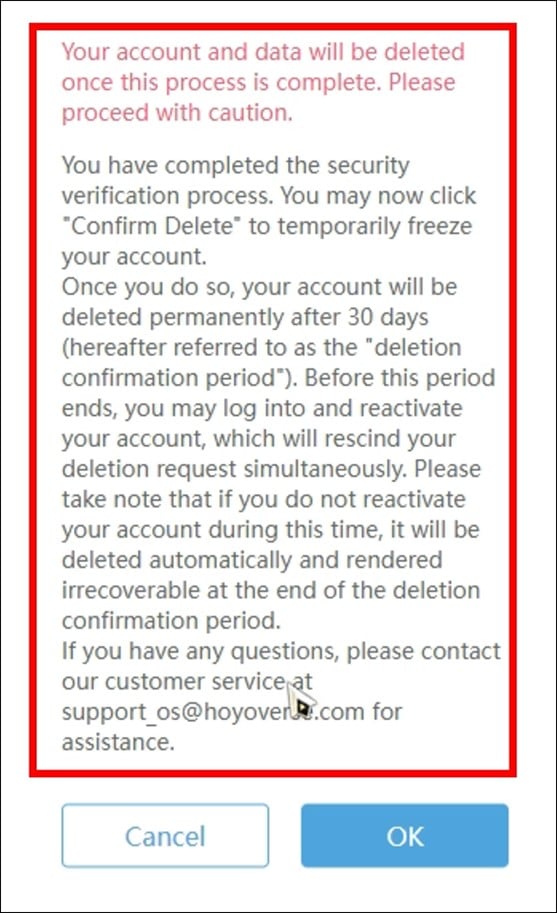
- Next, you will encounter a warning message informing you that if you continue with the entire process, then your Hoover account will be deleted, and it won’t be recovered.
- Click on “Next” to continue.
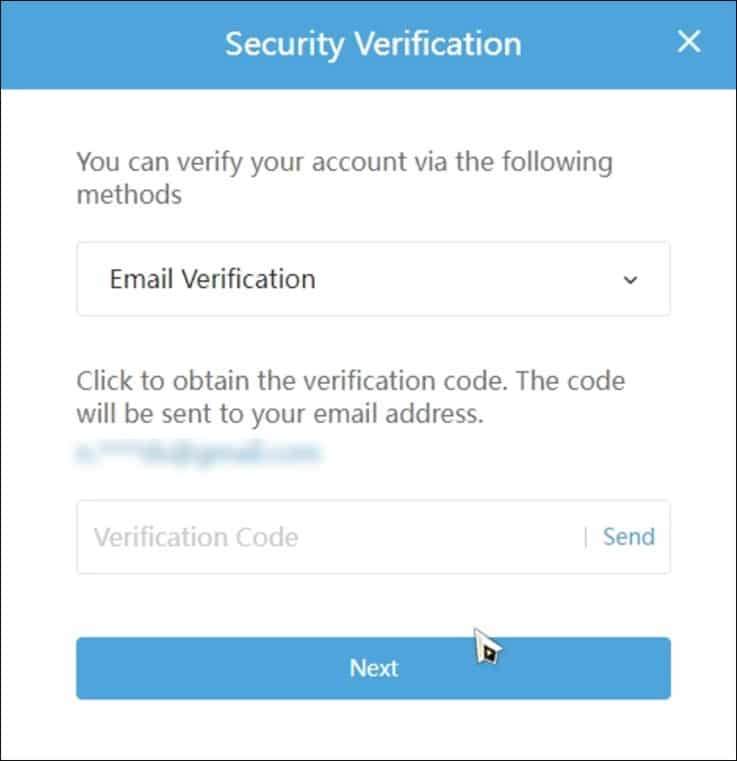
- Now you should get an email along with the verification code. Enter that in the designated field and then click on “Next.”
- Once your account gets verified, you will receive a message that once the confirmation is made, the account will get frozen for 30 days. After this period, it will automatically get deleted, but if you log in within 30 days, then you will be able to stop your account from being deleted permanently.
- If you don’t follow it, then the account deletion process will take place after 30 days. You need to click on “OK” for deleting the account.
If you want to delete the account due to any specific issue or concern, then exploring other options is worth exploring.
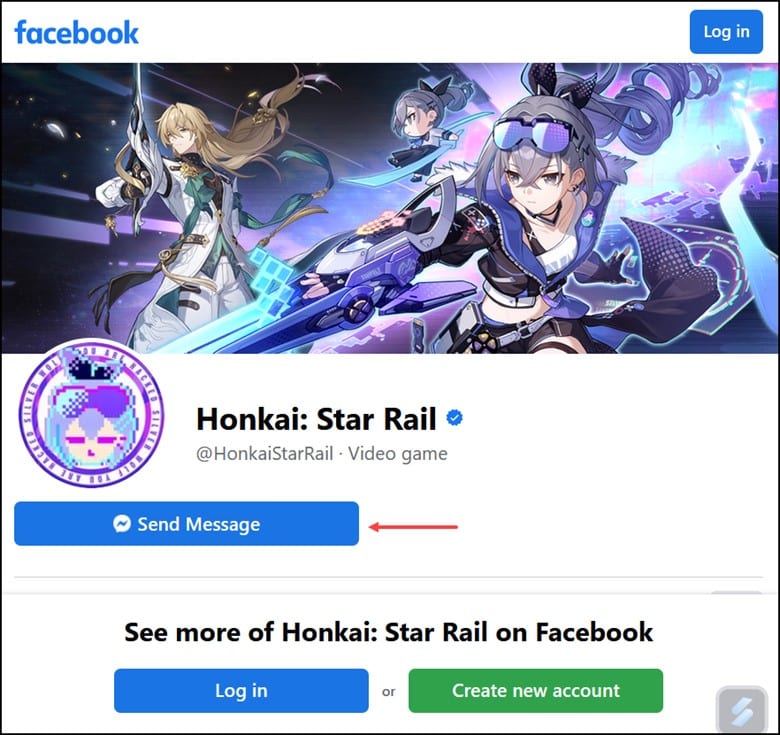
You can contact the Honkai’s support team either by contacting the developers at HoYoverse directly through their social media handles. You can also opt for in-game support options.
They will help you address the problems that you are facing without resorting to deleting your account.
Frequently Asked Questions (FAQs)
- What Happens To My Progress And In-Game Items When I Delete My Honkai Star Rail Account?
Deleting Honkai Star Rail Account will permanently remove all the progress associated with it, along with the achievements and in-game items.
- Can I Get Back My Account After Deleting It?
No, once you delete your Honkai Star Rail Account, it isn’t possible for you to recover it.
- Will Deleting My Honkai Star Rail Account Remove My Personal Information From The Game’s Server?
Yes, deleting your Honkai Star Rail account will typically remove all your personal information from their servers according to their privacy policy.
Bottomline
Now that you have successfully deleted your Honkai Star Rail account feel free to come up to us with any other inherent queries.
We will update you on the same.


