Our crazy lifestyle has made us connect more through the internet than directly interacting with people.
Our privacy as well gets exposed enough through social media platforms and in addition to that there are plenty of sites to infiltrate the details.
That might prove to be arguably helpful to those who want to connect to their lost friends or relatives but also the details are open to cybercriminals.
To protect your privacy and cybersecurity, you may wish get true people search removed.
In today’s article, I am going to discuss the possible way to remove your particulars from true people search.
Also read: How To See Who Unfriended You On Facebook!
Reason Behind True People Search Remove
As it is all legal for a search engine to provide information about people, and True people search is just an entity providing accessible information to the public.
Actually, according to law, it is a collection of public records. It provides genuine information about people.
Besides, it saves much time as the employers can easily go through the details before hiring somebody.
You may sometimes need to have true people search removed to protect privacy and siege personal information from the public.
What Are The Privacy Issues That Surrounds True People Search?
True People Search is a much reliable and easy-to-use interface with an extensive collection of personal data. Your information may be tracked by hackers and scammers.
They can easily gain access to your email or all personal details and create a lot of trouble for you so you may be wondering how to remove yourself from true people search.
Although True people search sites provide accurate data of the people you wish to search for, yet it reveals your identity. Anybody from anywhere can view important information about you.
How To Remove Yourself From True People Search?
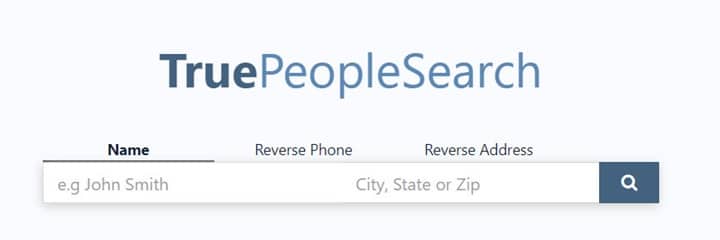
For true people search removal, you need to fill up an online form. When you fill-up the form and submit it, all information related to you will get erased away within 24 hours.
Sometimes after submitting the form, True people search may claim that they failed to find your listing.
For true people search opt out, you will have to go back and forth and seek the help of Customer service via email. Follow the steps mentioned below to maintain your security:
Step 1: All you need to do is to visit the removal page of True people search and then you will have to perform the CAPTCHA and then commence the removal process.
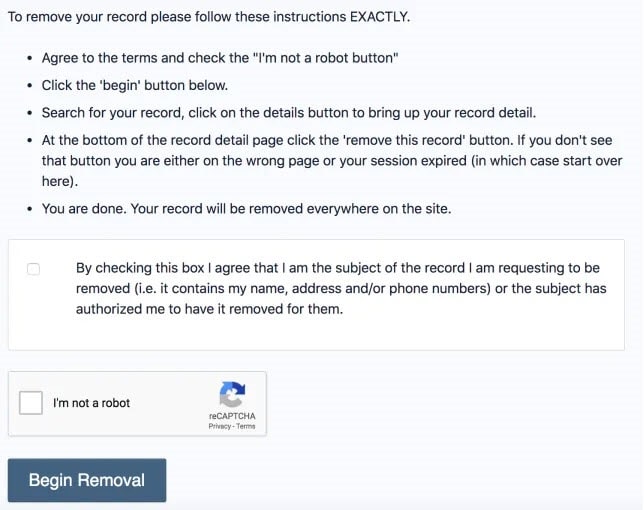
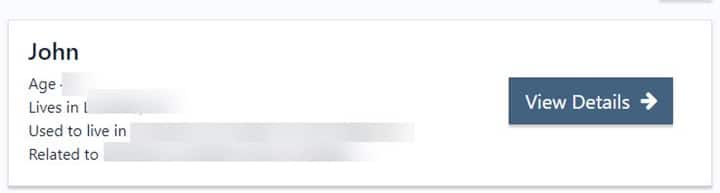
Step 2: Input your name in the box and then check your listing. For getting the details to click on View all Details.
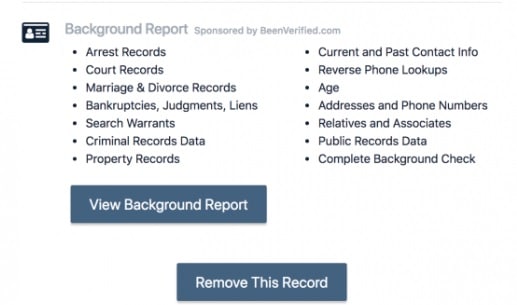
Step 3: Then scroll down for removing the record. You will find the ‘Remove this record’ option. This way your listing will get removed within 24 hours.
Step 4: In case you cannot find your listing after the entire process, immediately shoot as mail to the supporting team.
Step 5: They are going to reiterate the process for true people search removal.
Make sure you send the URL to the listing for convenience.
But you might have to wait patiently till you get back to hear from them. Hope the process mentioned will solve your problem.
Winding Up
So, I hope by now, you could find out true people search remove process from the given article.
If you still have queries related to this issue, please communicate with us in the comments section provided below.
Feel free to shoot us a mail with your ideas or suggestions. We always look forward to hearing back from you.


