If you are considering buying a PC or customizing it all by yourself, knowing the number of fans you need will help you immensely. Having the correct number of case fans increases the airflow and is the easiest way to extract more PC performance. Also, the right amount of fans plays a vital role in achieving the maximum output level from your device.
But if there is any issue with your computer and it doesn’t turn on while the fans keep running in the background you need it fix it early to reap maximum benefits from your PC.
It is, therefore, essential to understand the case fan setup, as efficient cooling is crucial for the longevity and performance of your PC.
The significance of these fans may often be undermined, so dive straight into this article as it will provide you with all the details, such as the number of case fans, types of fans, and others.
How Many Case Fans Is Enough For A Gaming PC?
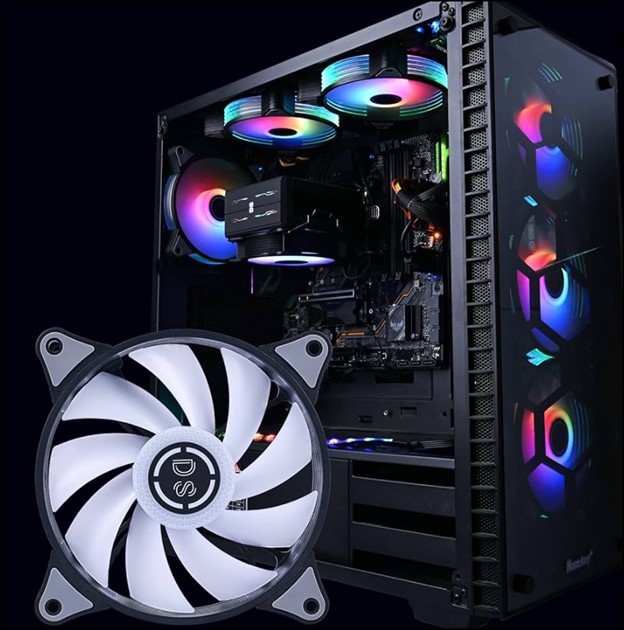
Knowing the number of case fans you need will help you understand the cooling procedure. But the exact number of case fans that a gaming PC needs varies and depends on several factors:
Basic Setup:
The basic setup requires two fans or a maximum of three. This setup is a good starting point for mid-range gaming PCs that generate moderate heat.
The typical configuration here will be two intake fans at the front or bottom and one exhaust fan at the rear.
Gaming Setup:
A typical gaming enthusiast needs 3 to 4 fans to deliver high-performance gaming PCs with powerful components or overclocking. In this case, the options include additional intake fans at the top or side. You must also install dedicated exhaust fans for graphics cards or radiator fans for liquid cooling setups.
Why Are Case Fans Needed For Your PC?
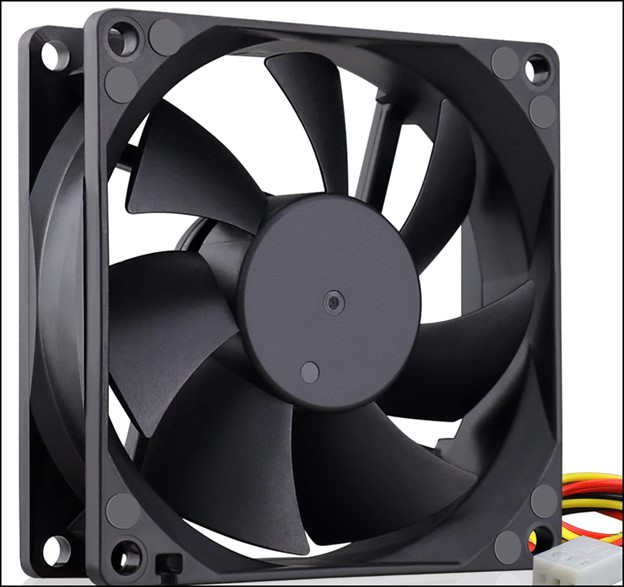
Case Fans are your system’s unsung heroes who play a crucial role in maintaining thermal stability. At times the fans become louder and for resolving the sound issue you can take the help of this article.
Here is why case fans can be beneficial and deserve your appreciation as well:
-
Prevent Overheating
The primary function of case fans in your PC is to dissipate heat generated by your CPU, GPU, and other internal components. Without their availability, the temperature will soar, leading to system instability, performance throttling, and permanent damage.
In some cases you may have to turn off the computer fan to avoid more damage.
-
Enhancing Performance
The right amount of case fans can provide optimal performance by keeping components within their ideal temperature range, allowing it to run at higher clock speed and deliver smoother gameplay or faster processing.
-
Promoting Longevity
Case fans play a vital role in maintaining the lifespan of your PC. It contributes significantly to your system’s overall health and longevity by saving you from repairs or replacements.
-
Reducing Noise
The number of case fans needed also plays a powerful impact on the noise levels. By choosing the correct number of fans with proper airflow, you can create a quiet and comfortable computing experience.
-
Aesthetics
Lastly, the case fans in a PC add a touch of personality and visual flair to your PC build by enhancing the look and feel of your PC.
Factors To Consider When Determining The Number Of Case Fans For Your PC
Several factors will help you determine the number and type of fans. Also, understanding those will help you make an informed decision based on your specific needs and requirements.
So, consider these key factors and navigate into the world of optimal cooling:
1. Size And Type Of Computer Case
The size and type of the computer case play a significant role in influencing the number of fans it can accommodate. Larger cases have more flexibility regarding fan options, while more minor cases will have limited space for fan placements.
2. Component Heat Generation
The heat generated by the CPU and GPU determines the amount of cooling required. High-performance processors and graphics cards create more heat, thereby increasing the requirement for more fans to ensure adequate cooling.
3. Overclocking And High-intensity Workloads
Adding more case fans is required when planning to overclock your components or engage in tasks that are putting heavy loads on your system.
Gaming, video editing, or adding extra fans generate more heat and require additional cooling to maintain optimal temperature.
4. Soothing Room Temperature
The room temperature where the PC is kept also plays a significant role. Hot or humid climate or keeping the PC in a poorly ventilated area will require additional fans to compensate for the high temperature.
5. Noise Tolerance
Aim to prioritize a quieter computing experience, as you may be required to balance cooling performance and noise levels.
Add more fans to improve the airflow and heat dissipation to ensure maximum cooling efficiency and optimal performance.
6. Desired Cooling Performance
A basic system buildup system with lower components requires an optimal number of case fan setups inside the PC case.
But if you prioritize maximum cooling efficiency, add as many case fans as possible to dissipate the heat and improve the airflow.
Frequently Asked Questions (FAQs)
- How Many Fans Are Required In A PC?
The number of fans that are required in a PC depends on a few factors, such as the size of your PC case, the temperature of your PC components, and whether it is for gaming or everyday use.
- How Many Exhaust Fans Do I Need For My PC?
The number of exhaust fans required for your PC depends on the size of your case and the components inside.
A more significant case or high-performance components requires two exhaust fans, while a more minor case with regular components requires only one fan.
- Are There Any Requirement For Additional Fans?
Additional case fans are especially beneficial for gaming PCs or systems with high-performance components as they help maintain lower temperatures and better airflow inside the case.
Bottomline
Remember, deciding the ideal number of case fans for your PC is all about understanding the requirements for your system and striking a balance between cooling efficiency, noise levels, and your personal preferences.
So, experiment and fine-tune your PC to derive more from it.
Get in touch with us in the reply section below if you want to enrich us with any further information.


