League of Legends is an online multiplayer battle arena video game of the action real-time strategy genre. It is one of the most popular PC video games ever, and it has among the largest footprints of any game in streaming media communities, with the company estimating around 100 million active players each month.
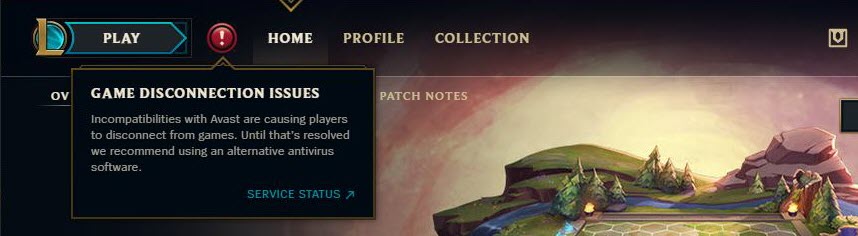
Recently, many players have reported, that another free antivirus software Avast antivirus, blocked League of Legends from running. This is a serious issue among users as this can prevent them from logging into the game and therefore reducing the playing time.
Here I will discuss the League of Legends Avast problem and how to solve the “Avast blocked League of Legends” error.
Why Is Avast Blocking Games?
Being one of the largest and most popular games, there are many League of Legends issues. This issue is one of the common errors that many users have reported facing, and the problem is with the Avast client software itself.
If you turn off Avast during the game, you will need additional protection of your data. We recommend using VPN with end-to-end encryption. Thus, your data will be protected, and you can fully enjoy the game. Many users additionally install VeePN for the security of their computer and use it together with antivirus. This way your data is completely protected from hacks and viruses.
Antivirus programs, in general, can cause many compatibility problems with various applications on your device. Avast antivirus has a feature that prevents malicious applications from running on your device. This is an additional security method to prevent data theft and other hostile activities.
The Avast antivirus client software flags the League of Legends executable files as Trojan. This is a misinterpretation on the part of the Avast software team, and players have contacted them regarding the same. This is the reason that Avast blocked League of Legends on your device.
How To Solve Avast Blocked League Of Legends?
If you too are facing the League of Legends Avast problem on your system, now I will discuss how you can solve this error to enjoy the game to its full.
Note: Update your Avast client software and the virus definition as well. The Avast team has been working on a solution, which is expected to be released in phases. If you happen to receive the updates, that may solve your issue altogether.
Add Exceptions To Avast
Since Avast mistakenly identifies the League of Legends client executable files as malicious, there is a possibility that it may have been quarantined, which is preventing your device from running it.
You need to restore the files from the virus chest, and then add them to your exceptions. Follow these steps closely.
- Open the Avast antivirus GUI by double-clicking on the desktop or start menu icon.
- Under Protection, look for Virus Chest.
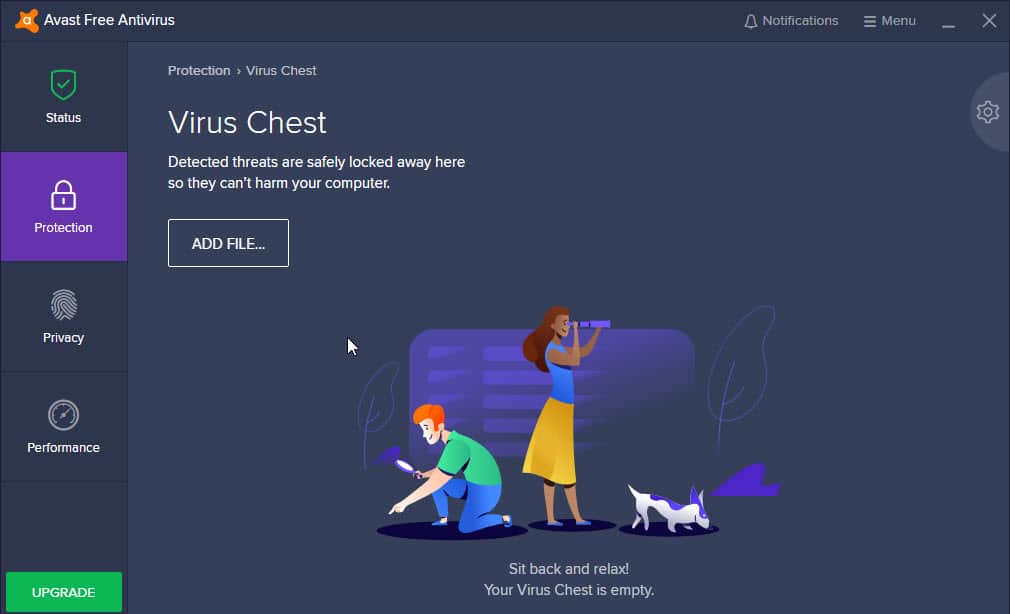
- Here you will find the list of deleted applications and files marked as dangerous by Avast.
- Locate the League of Legends files and anything related to it. Right-click on it.
- From the context menu, select Restore and add to exclusions.
This will restore any deleted files and add them to the exceptions of your antivirus. Now you need to perform an additional check for exclusions.
- Open Avast Settings from the Menu button.
- Under the General tab, click on Exceptions.
- Click on the Add Exception button.
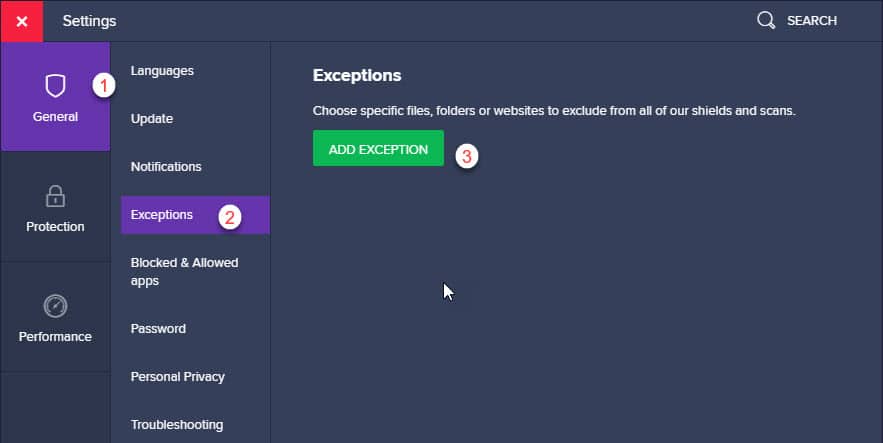
- Add the following files in the Avast exception list. You will find them in your game’s installation folder.
- LeagueClient.exe
- LeagueClientUx.exe
- LeagueClientUxRender.exe
- League of Legends.exe
- Restart your system for the changes to take effect.
Following this, the game files will be added to the Avast exception list, and League of Legends issues should be solved on your device.
Wrapping Up
So there you have it. If Avast blocked League of Legends on your device as well, now you know how to bypass this block using the simple guide above. Comment below if this solved your issue, and tell us more about your experience with League of Legends.

