BTRoblox stands for Better ROBLOX and is an extension of the Roblox website.
Roblox is a popular online mini-gaming platform that allows gamers to create and modify games.
Here in this article, I have discussed what BTROBLOX is, how it works and how to use BTROBLOX.
Also read: Roblox Chat Not Working – How To Fix?
What Is BTRoblox?
BTRoblox is a Mozilla Firefox and Google Chrome extension developed by AntiBoomOr.
The UI is very user-friendly. Moreover, three million users weekly use this extension online.
It basically changes how Roblox’s official website looks and works, making it more user-friendly.
What Are The Uses Of BTRoblox?
BTRoblox modifies the Roblox website and adds new looks to it.
Uses:
- It alters the profile’s design and modifies the side menu bar.
- BTRoblox allows a quick access menu bar, including profiles, avatars, a game store, and many more.
- There are also multiple options related to general settings, profile, item details, catalog, inventory, etc.
- You can also change the pre-loaded themes like- red, sky, black, and dark as night themes.
- Receive notifications from Roblox.
- You can change the location and optimize the Roblox platform.
Is BTRoblox Safe?
Yes, BTRoblox is safe to use. As per privacy policies by the publishers, they do not collect or use your data and sell it to any third parties.
BTRoblox is a better option than the default Roblox website.
To date, no such reports claim that BTRoblox is damaging security or their device.
How To Use BTRoblox Extension?
You can add the BTRoblox extension in Google Chrome and Mozilla Firefox. To do so, follow the instructions to add:
Add BTRoblox on Google Chrome
To add the BTRoblox extension in Google Chrome, follow the steps given below:
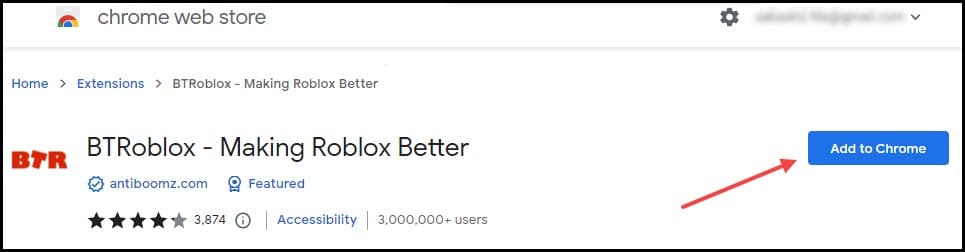
- Click here to open the BTRoblox extension on the Chrome Web store.
- Choose to Add to Chrome button to add BTRoblox extension to your Google Chrome.
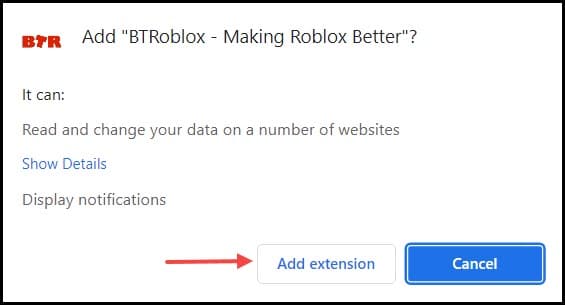
- Click on the Add Extension button.
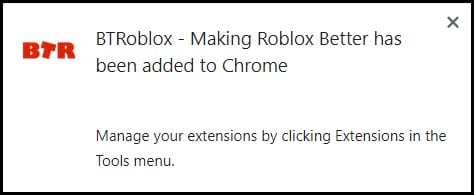
- After the extension is added, you’ll be notified.
- Click on the extension button and select BTRoblox.
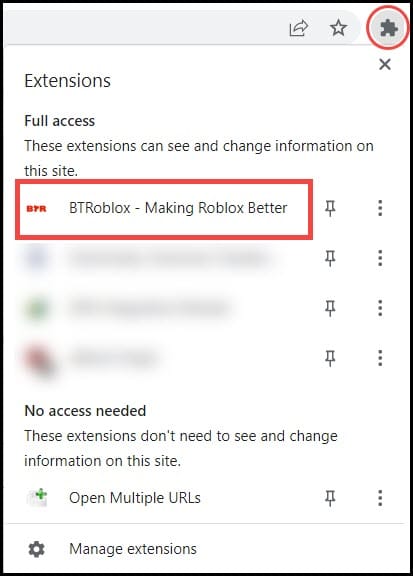
- From the next window, you can modify the settings and customize whatever you want.
Add BTRoblox on Mozilla Firefox
Follow the instructions below to add the BTRoblox extension to your Mozilla Firefox:
- Open the Firefox browser Add-ons website.
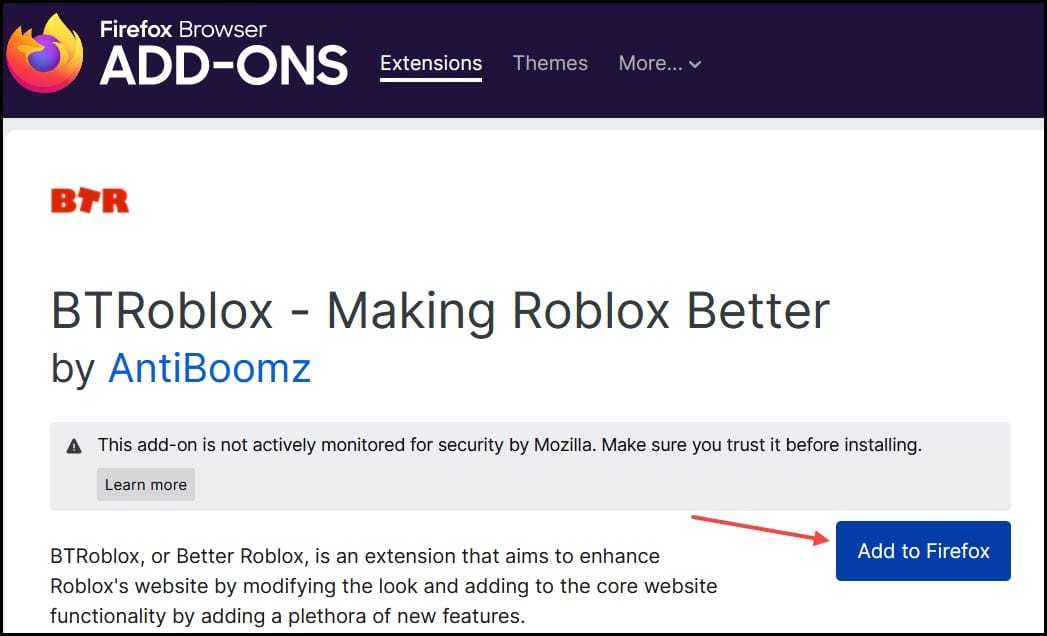
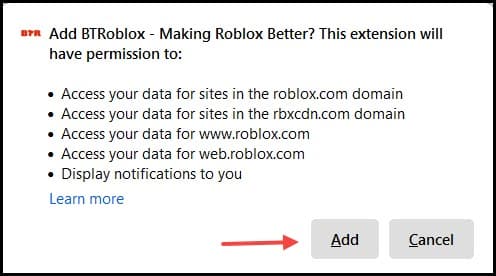
- From the notification window, select the Add button to add the extension.
- If you want to run the extension on the Private window, click the check box from the pop-up window and choose the Okay button.
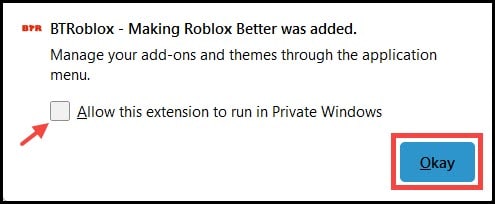
Now, click on the extension button and customize the Roblox site.
Frequently Asked Questions [FAQs]
1. Why Is BTRoblox Broken?
If BTRoblox is broken, it may be caused due to malfunction of the browser. To fix it, update the browser.
2. How Do I Download BTRoblox To Make Roblox Better?
Yes, downloading BTRoblox can make Roblox look better. Install the BTRoblox extension on your web browser. Use it to customize Roblox as per your preferences.
Final Words
After reading the above article, I hope you now know what BTRoblox is and how to use it.
If you still have queries regarding BTRoblox, ask us in the comments below.

