Trying to buy a game on Steam with PayPal, only to discover the option is missing or your payment keeps getting rejected? You’re not alone. In recent months, thousands of Steam users across multiple countries have reported issues using PayPal for purchases, leading to confusion and frustration at checkout.
What makes the situation even more surprising is that nothing appears wrong with users’ PayPal accounts. Instead, the problem stems from changes in payment processing support affecting specific currencies and regions.
As a result, many gamers who relied on PayPal as their preferred payment method are now being forced to look for alternative ways to complete their purchases.
In this guide, I’ll discuss why PayPal is no longer available for some Steam users, which currencies are affected, what alternatives you can use right now, and whether Valve is working on a long-term solution.
How This Change Impacts Steam Users

For many gamers, PayPal has long been one of the most convenient payment methods on Steam. It offers a layer of security by avoiding direct card usage, supports quick transactions, and is widely trusted around the world.
With PayPal unavailable in several regions, users may now face:
- Failed purchases during major Steam sales.
- Difficulty buying games if they don’t own a credit or debit card.
- Additional transaction fees when using alternative payment methods.
- Delays caused by purchasing and redeeming Steam Wallet codes.
- Limited payment flexibility for international users.
The timing is particularly frustrating during seasonal sales, when many players rely on PayPal for quick and secure purchases. While alternative payment methods exist, not all of them provide the same level of convenience or buyer protection that PayPal users are accustomed to.
Also Read: How To Change The Payment Method On Spotify?
Why Paypal Is Currently Unavailable on Steam?
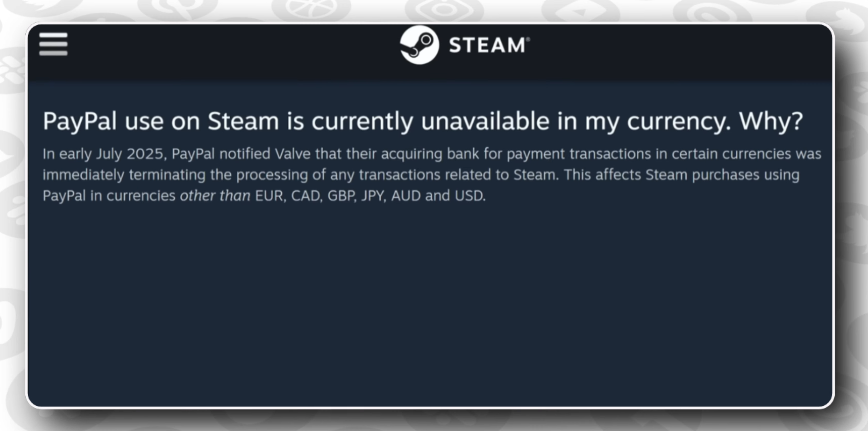
In early July 2025, PayPal notified Valve that their acquiring bank—the one that processes PayPal transactions—was immediately cutting off support for Steam purchases in several currencies.
That means if your local currency isn’t USD, EUR, GBP, CAD, JPY, or AUD, you’re out of luck using PayPal on Steam right now. The Unsupported currencies are INR (Indian Rupees), BRL (Brazilian Real), ZAR (South African Rand), and many others across Asia, Africa, South America, and parts of Europe
Now, this affects users in dozens of countries across Asia, South America, Africa, and parts of Europe. If your Steam wallet is in Indian Rupees, Brazilian Real, or South African Rand, for example, PayPal is no longer an option.
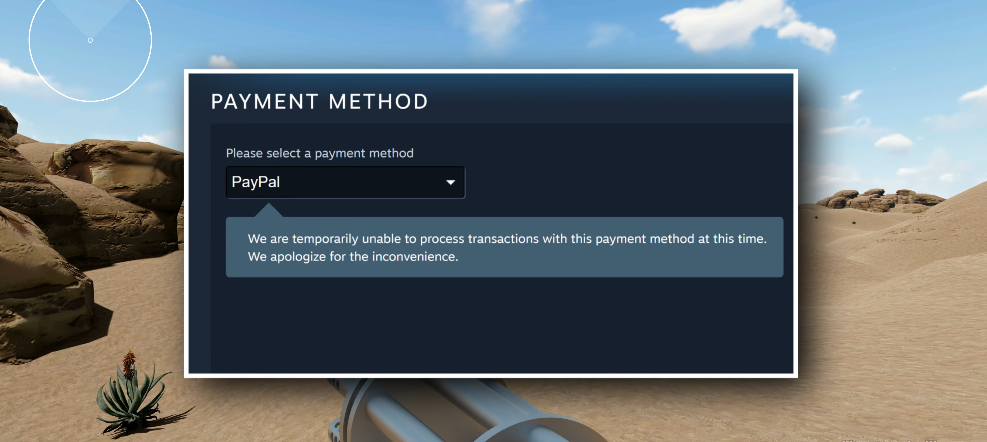
Users trying to pay with PayPal in these regions now receive an error message:
“We are temporarily unable to process transactions with this payment method at this time.”
Also Read: Fix: Steam Gift Card Not Working [Solved]
Why Did This Happen?
Valve hasn’t shared the full details, but here’s what we know – the acquiring bank that handled these transactions decided to stop processing payments for Steam. That’s a banking decision, not a Steam or PayPal one directly—but it affects both.
Some speculate this is part of a broader trend—where payment processors are becoming more selective about who they work with, and what kind of content or platforms they support.
Remember the Visa and MasterCard issues tied to an Australian group? That was a warning shot. Now, it feels like we’re sliding down a slippery slope where financial institutions are quietly shaping what we can or can’t buy online.
What Can You Do?
Right now, Valve recommends using other payment methods available in your region—like –
- Credit/debit cards
- UPI (Unified Payments Interface) – especially relevant for Indian users
- Local digital wallets (e.g., PhonePe, Paytm, etc.)
If none of those work, you can still use Steam Wallet codes, which are available from authorized resellers.
Is a Fix Coming?
Valve has stated they’re actively working to expand payment options, but no timeline has been provided.
In the meantime, if you rely on PayPal and your currency isn’t supported, you’ll need to use one of the alternatives above to continue making purchases on Steam.
Alternative Ways to Pay on Steam
Until PayPal support expands again, consider using:
- Credit Cards
- Debit Cards
- UPI (for Indian users)
- PhonePe
- Paytm
- Net Banking
- Steam Wallet Codes
- Other local payment services available in your region
Before making a purchase, it’s worth checking Steam’s supported payment methods page, as available options vary from country to country.
Wrapping Up
The current PayPal restrictions on Steam have left many gamers searching for answers, especially in regions where PayPal was previously a reliable payment method.
While the issue appears to be related to payment processing support rather than a problem with individual accounts, the end result is the same – many users can no longer use PayPal for Steam purchases.
For now, the best solution is to use one of Steam’s alternative payment methods, such as cards, UPI, digital wallets, or Steam Wallet codes.
Valve has stated that it’s working to expand payment options in affected regions, but until additional support is introduced, gamers will need to rely on these alternatives to continue purchasing games and content on Steam.
