Reddit is one of the most popular platforms for discussions, advice, news, and community-driven content. While creating an account unlocks features such as posting, commenting, and voting, you can still access a large portion of Reddit without signing up.
Whether you want to browse public subreddits, read discussion threads, search for information, or explore trending topics, Reddit offers several ways to do so without requiring an account.
In this guide, I’ll show you the different methods you can use to browse Reddit anonymously and make the most of the platform without logging in.
Also Read: Why Reddit Banned r/NBAstreams, And Where To Get NBA Streams Free?
What Can You Do on Reddit Without an Account
Before we begin, here’s what you can typically do without signing in:
- Browse public subreddits
- Read posts and comment threads
- Search for topics and communities
- View images, videos, and discussions
- Access Reddit through search engines
- Share Reddit links with others
However, you won’t be able to:
- Create posts
- Leave comments
- Upvote or downvote content
- Join communities
- Save posts or customize your feed
How You Can Use Reddit Without an Account
Now here’s how to use Reddit without an account.
Browser (Desktop or Mobile)
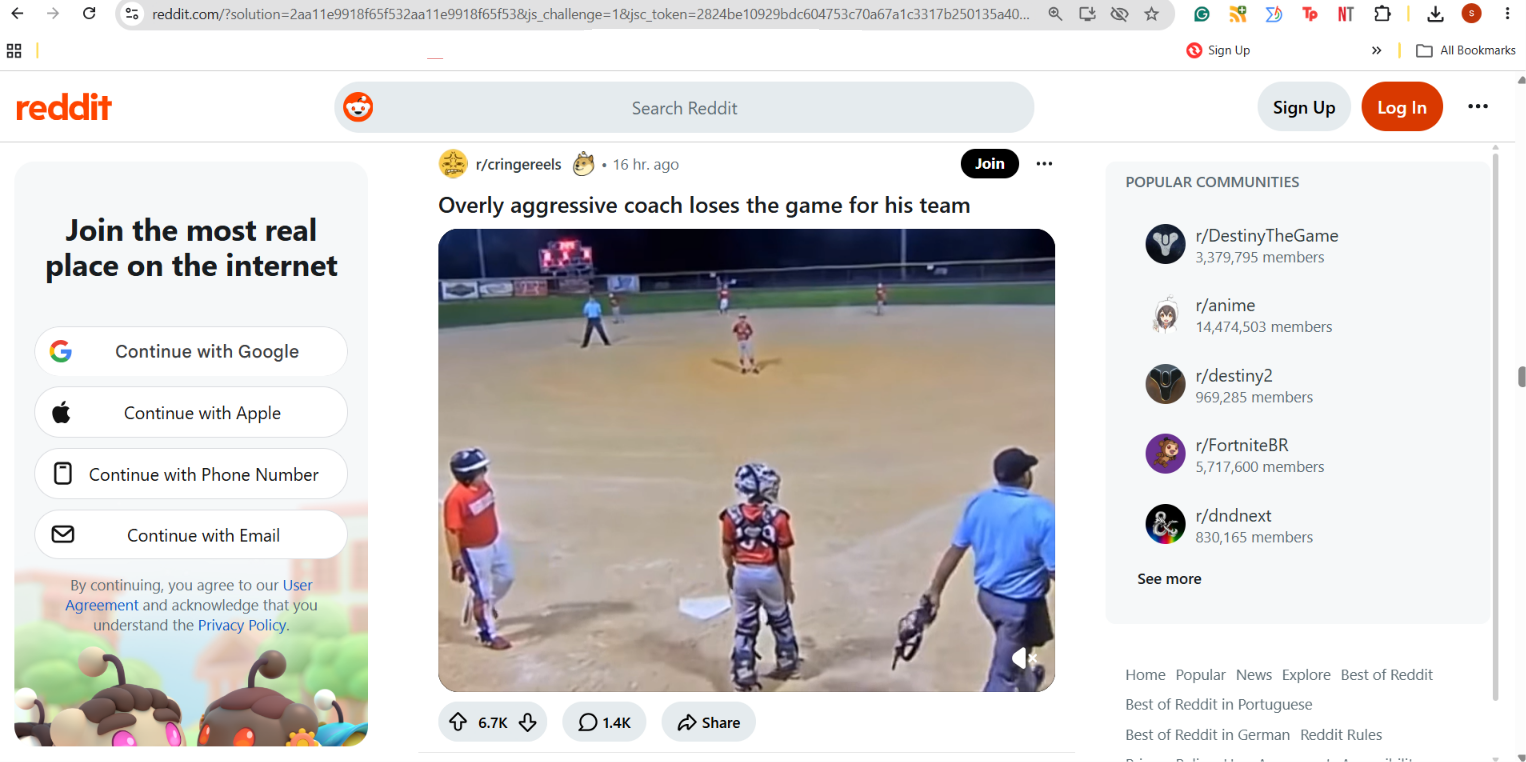
If you just want to browse Reddit casually, your regular browser is often the simplest and most direct way to do it.
On Desktop:
Reddit’s desktop site is the most open—no login required for most content.
- Open any browser (Chrome, Firefox, Edge, Safari).
- Go to www.reddit.com.
- Browse posts, subreddits, and comments freely.
On Mobile:
Mobile browsers are trickier, but with a few tweaks, you can still access Reddit without signing in.
1. Use the Old Reddit Interface
Swap www.reddit.com with old.reddit.com in the URL.
This loads Reddit’s classic layout, which skips most login prompts.
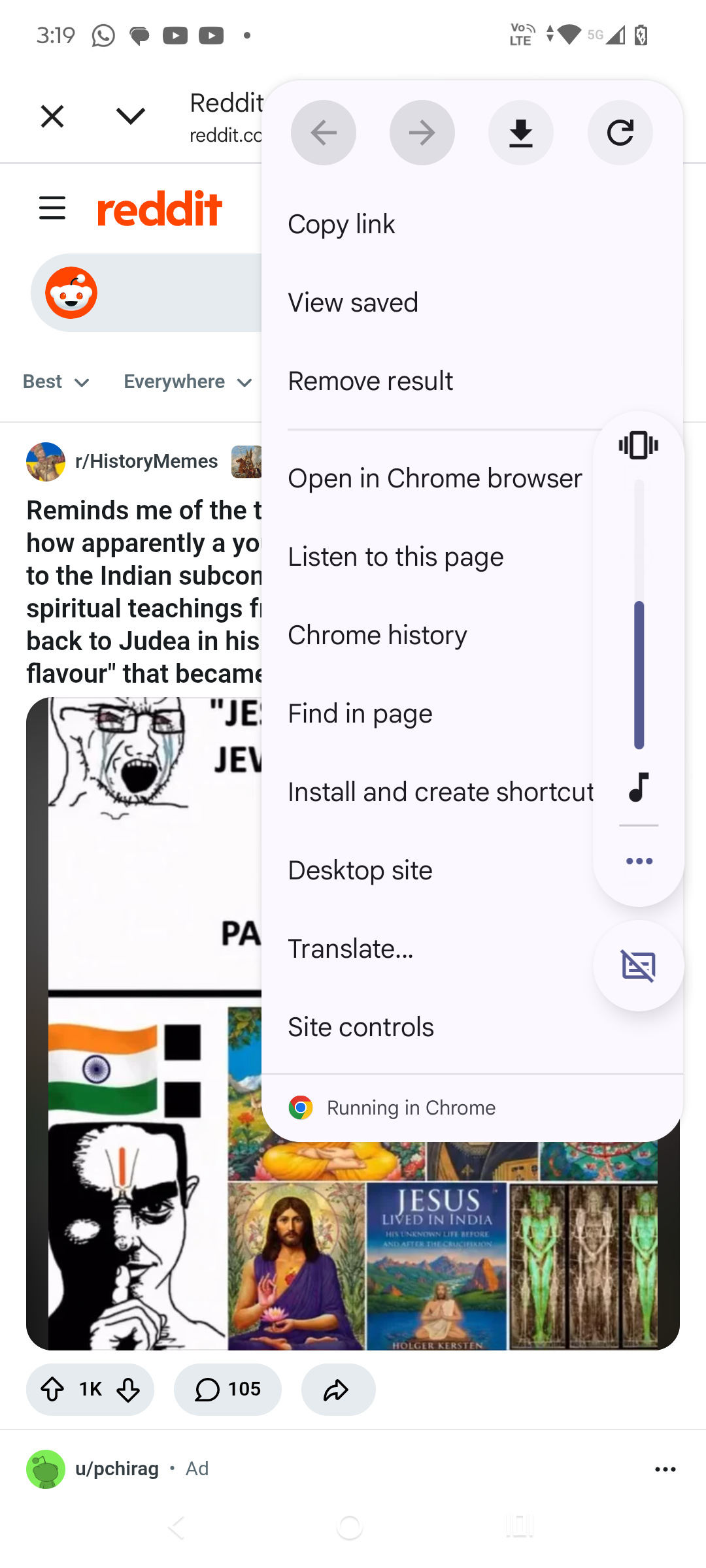
2. Request Desktop Site
In your mobile browser menu, tap “Request Desktop Site.”
- Open Reddit in Chrome.
- Tap the three-dot menu in the top-right corner.
- Scroll down and tap “Desktop site” a checkbox will appear.
- The page will reload in desktop mode.
This forces Reddit to behave like it does on a computer.
3. Use a Privacy-Focused Browser
Try Firefox, Brave, or DuckDuckGo.
These browsers often block Reddit’s app redirects and overlays.
- Download and install your chosen browser from the Play Store or App Store.
- Open the browser and navigate to www.reddit.com or old.reddit.com.
These browsers often block Reddit’s login overlays, allowing you to scroll and read freely.
Use Search Engines to Find Reddit Threads
Want to jump straight into a specific discussion? Search engines are your best friend.
- Go to Google or any search engine.
- Type your query.
- Click on the Reddit links in the results to bypass login walls.
Use Third-Party Reddit Apps (Android Only)
Some independent Reddit clients still allow anonymous access, especially on Android.
Try apps like RedReader, Infinity for Reddit, or Sync for Reddit.
These offer lightweight, customizable browsing without requiring login.
Limitations of Not Having an Account
Without an account, you are essentially a “lurker” and cannot participate in the community. Here are the limitations of not having a Reddit account:
- You cannot post new content or start discussions.
- You cannot comment on existing posts.
- You cannot upvote or downvote posts and comments.
- You cannot subscribe to subreddits for a personalized feed.
- You cannot use Reddit’s chat or private messaging features.
- You cannot access moderator tools or manage subreddit settings.
- You may encounter occasional pop-ups prompting you to log in, especially on mobile.
Wrapping Up
And that’s it — now you can browse Reddit freely without needing to log in or create an account. You can explore discussions, read community experiences, discover useful tips, and catch up on trending topics without the usual login prompts getting in your way.
Whether you’re researching a topic, looking for honest opinions, or simply curious about what people are talking about, this simple trick can make browsing Reddit a lot easier. Just remember that some posts, comments, or communities may still have access restrictions.
If this guide helped you browse Reddit more easily while sharing less personal information, drop a comment below and let us know how it worked for you.
